Never double-book
A live availability calendar shows open and booked dates at a glance, so every inquiry gets an instant, accurate answer.
Prime Solution · Event Venues
Run bookings, contracts, payments, and event-day logistics from one place. The Event Venue Solution turns Microsoft 365 into a purpose-built operating system for your venue — fully set up, configured, and automated for you.
What it is
No more juggling spreadsheets, paper contracts, and a wall calendar. The Event Venue Solution brings booking, contracts, payments, and event planning together in the tools your business already trusts — secure, mobile, and always in sync.
A live availability calendar shows open and booked dates at a glance, so every inquiry gets an instant, accurate answer.
Generate, send, and e-sign client contracts digitally — then store every signed document and receipt automatically.
Track package prices, deposits, payments, and pending balances, with automated payment-reminder emails built in.
A visual layout builder maps tables, zones, and décor, while a cost calculator prices every event in seconds.
A guided tour
Real screens from a live deployment. Every venue gets these configured and branded to match.
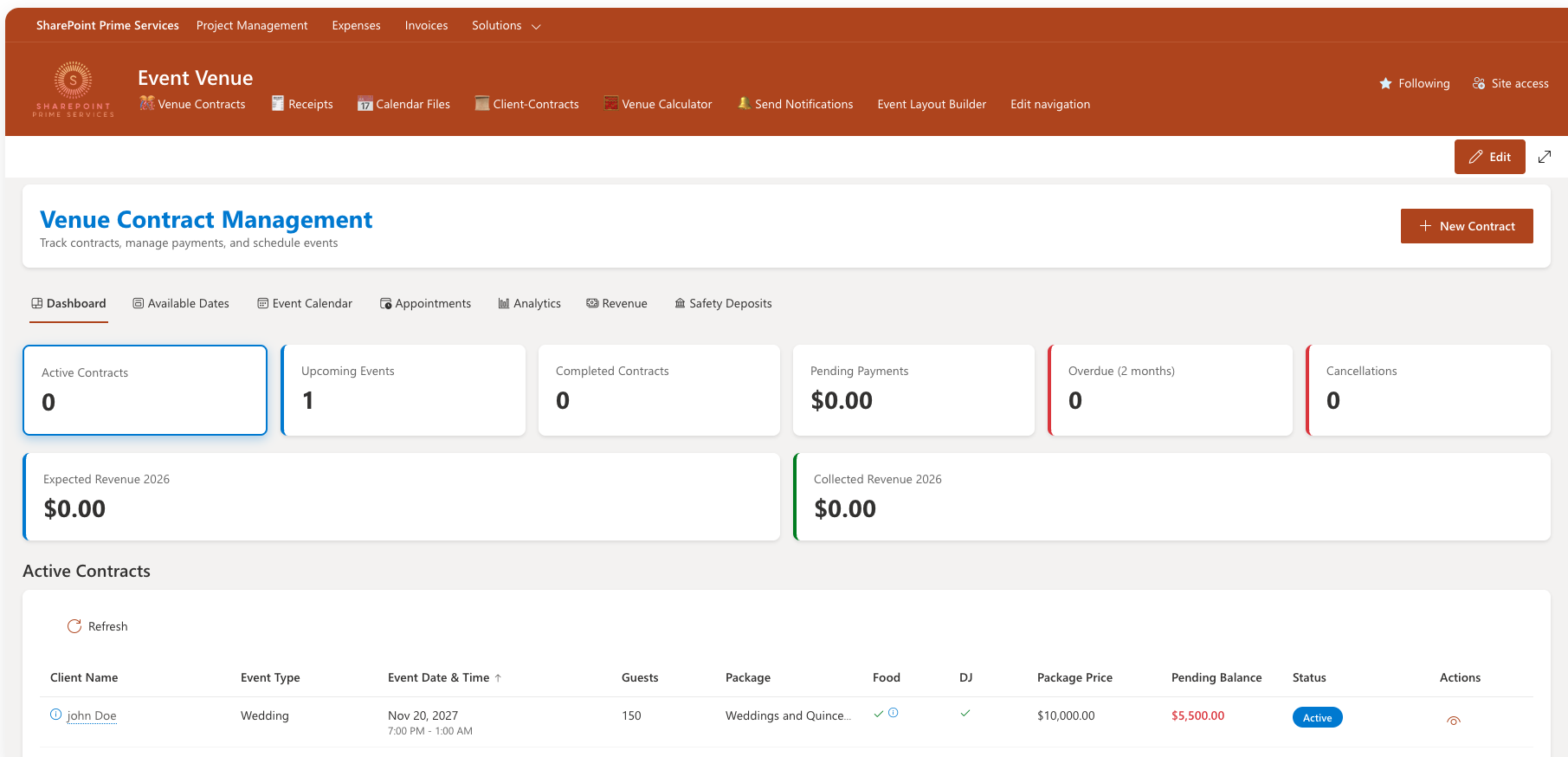
Your command center. See active contracts, upcoming events, pending and overdue payments, cancellations, and expected vs. collected revenue — all on one screen. Drill into any contract to see guests, package, food and DJ add-ons, balance, and status.
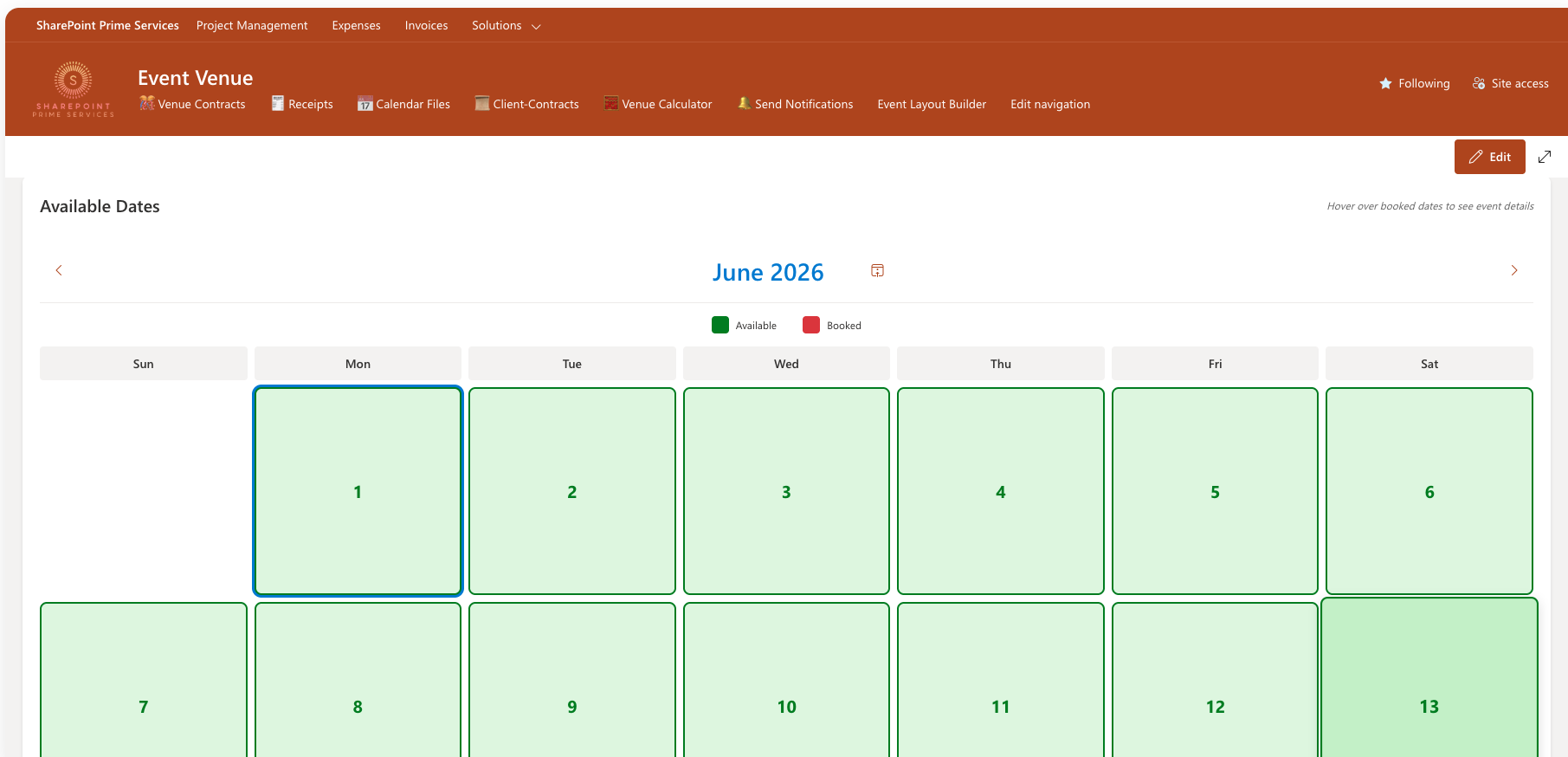
A color-coded month view shows exactly which dates are open and which are booked. Hover any booked date to see the event behind it — so you can answer "are you free on the 14th?" instantly and confidently.
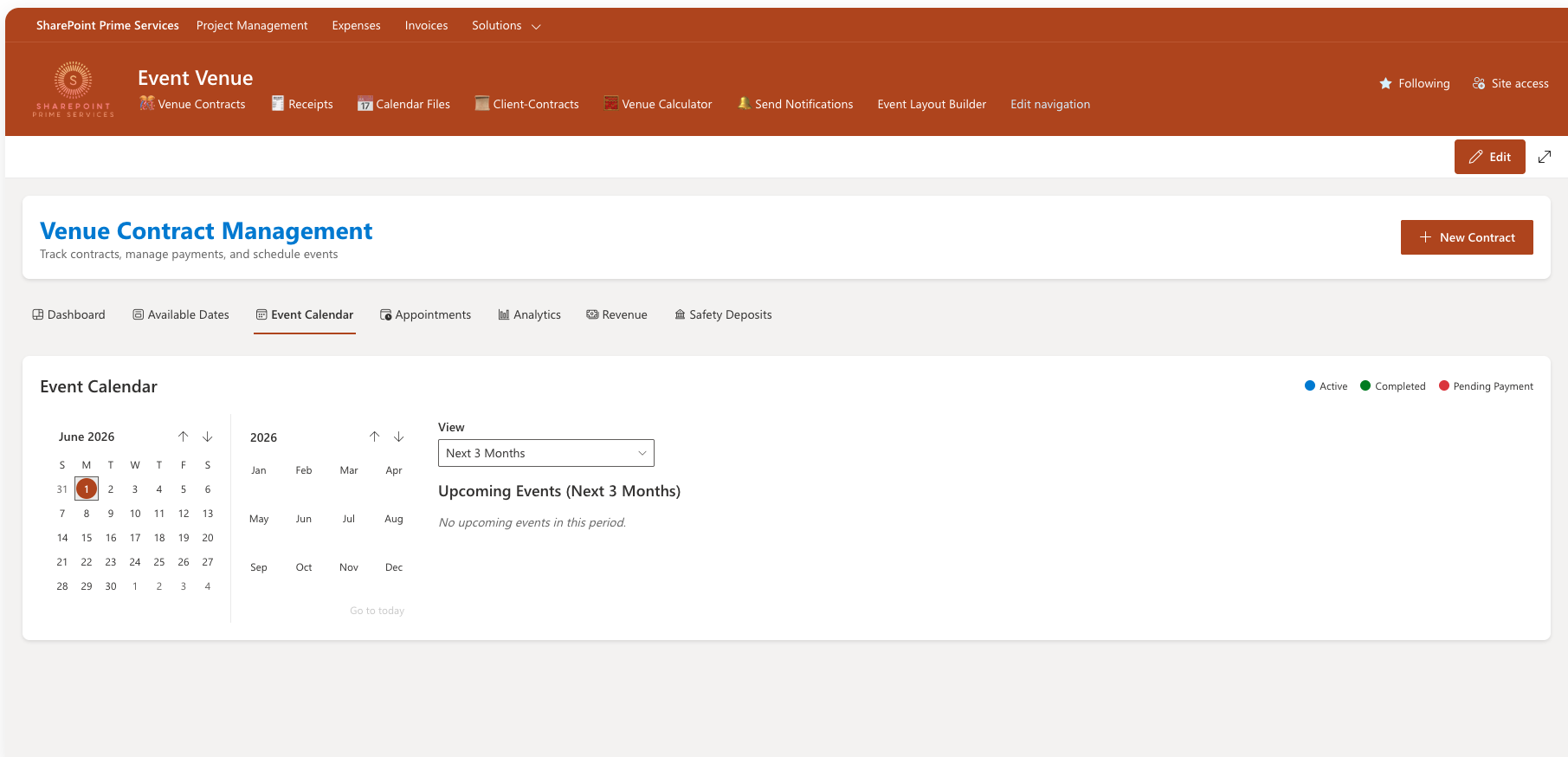
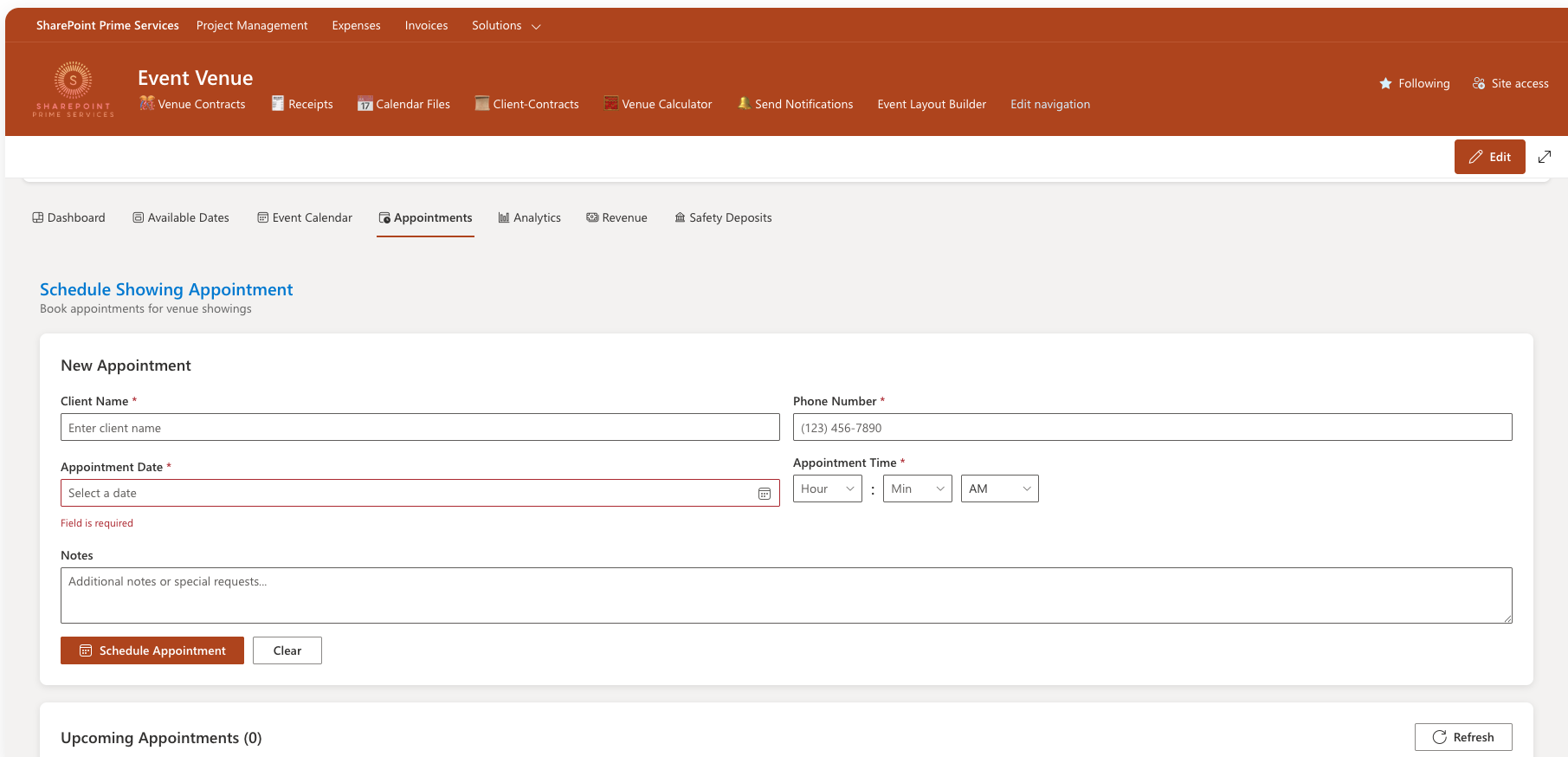
Keep upcoming events organized by month and status — active, completed, or pending payment — and let prospective clients book a venue showing through a simple appointment form, with every request tracked in one place.
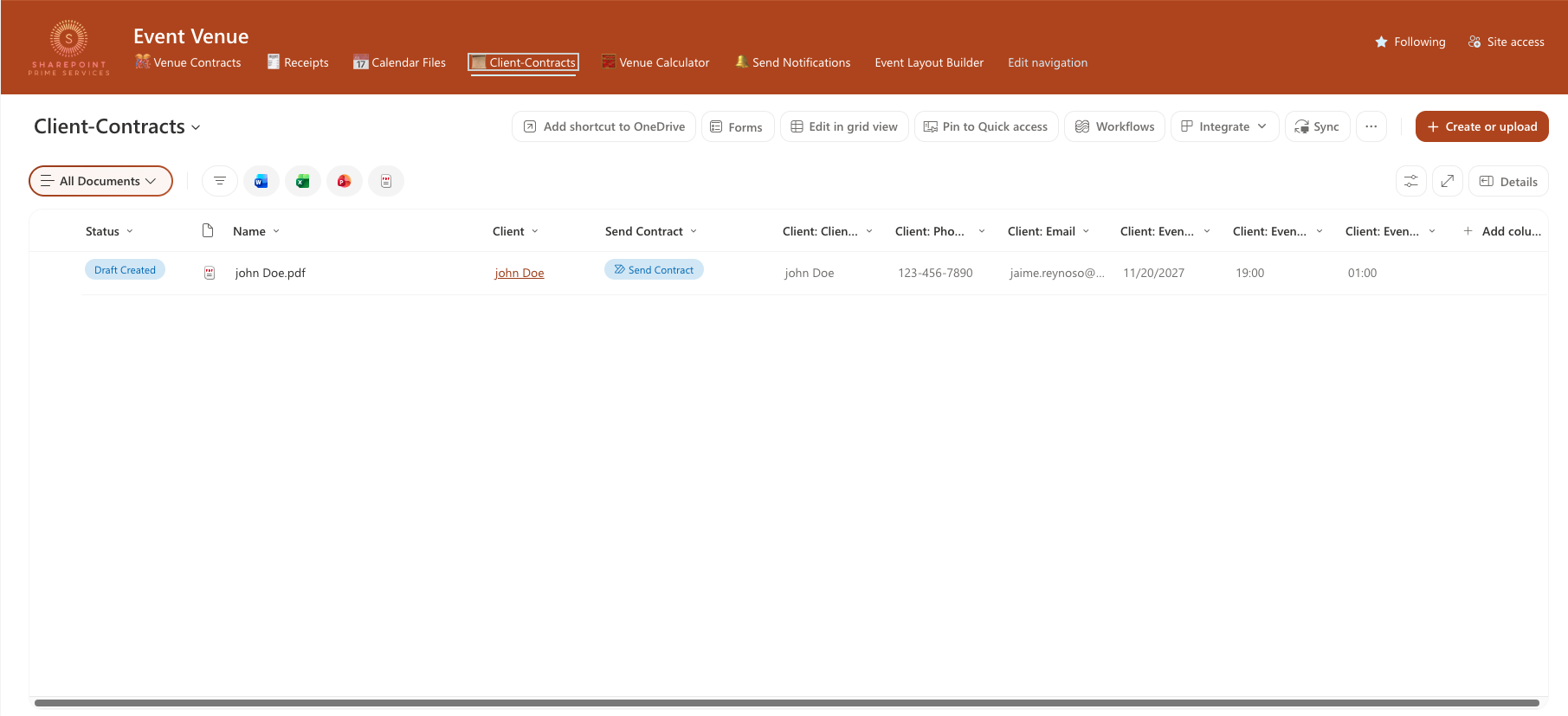
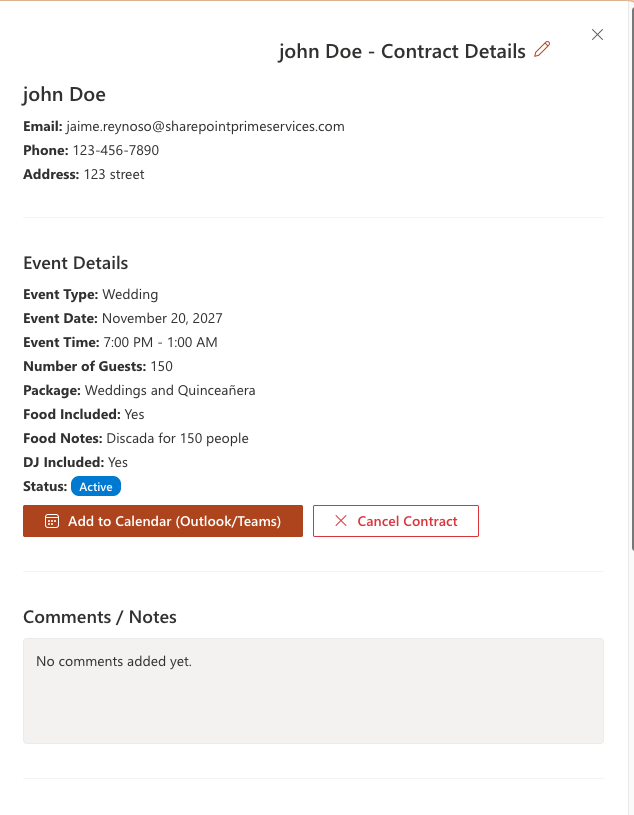
Every client gets a digital contract — generated, sent for e-signature, and filed automatically alongside their event details. Open any contract to see the full picture: client info, event specifics, financial summary, payment history with receipts, and a one-click "Add to Calendar."
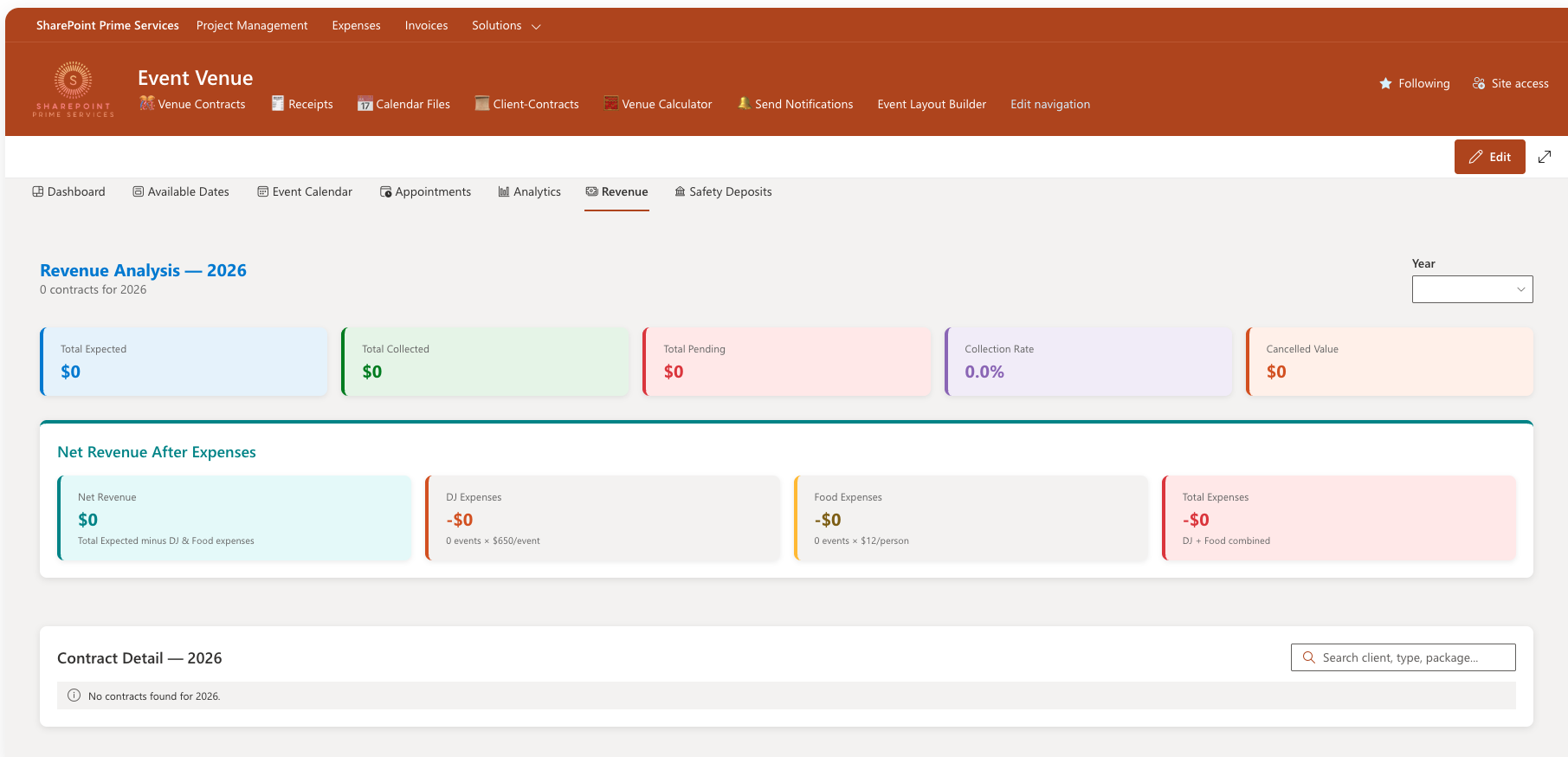
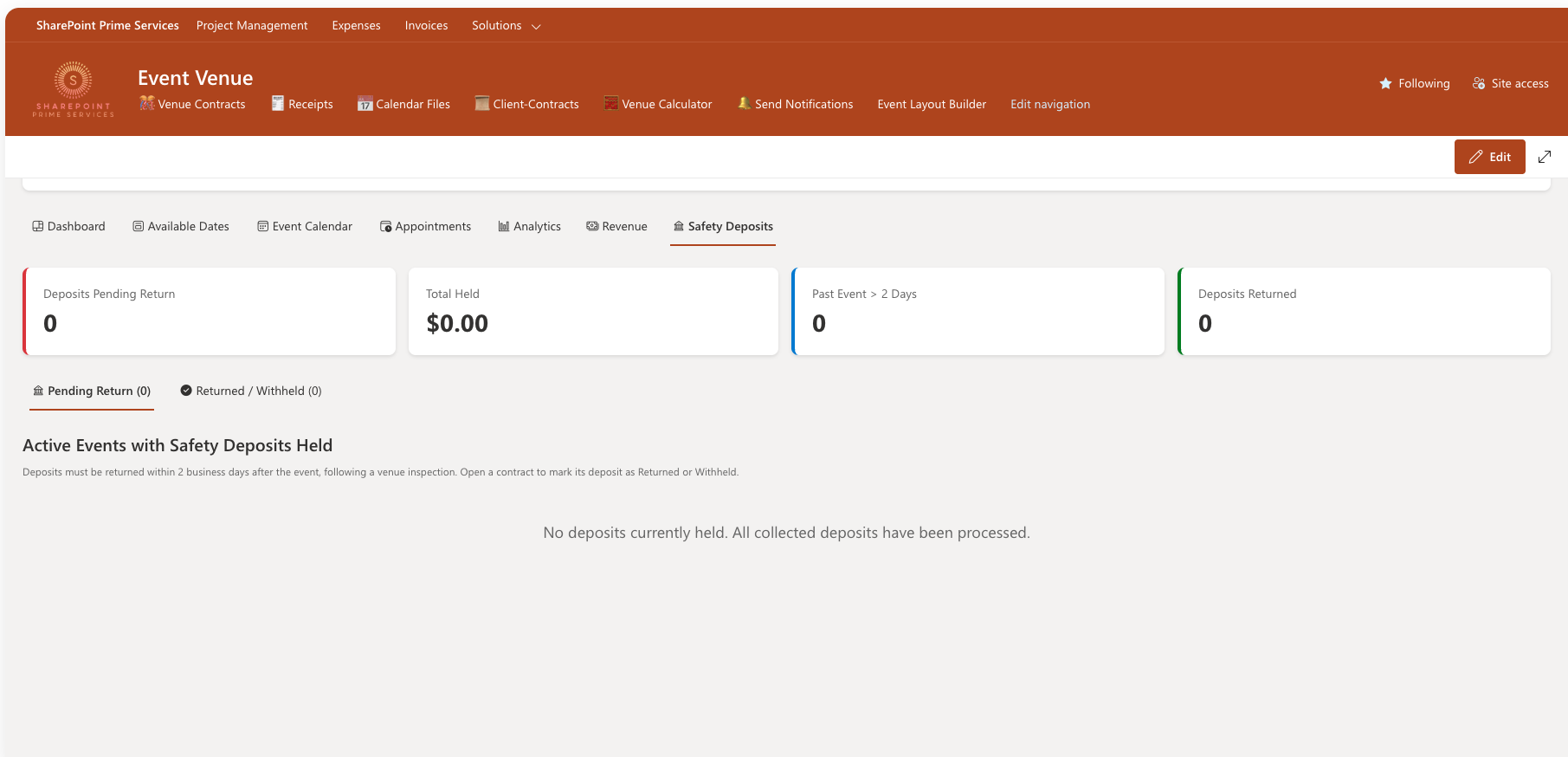
Track every dollar. Record payments and deposits, watch pending balances, and analyze revenue by year — including net revenue after DJ and food expenses. A dedicated safety-deposit tracker flags deposits due for return within two business days of each event.
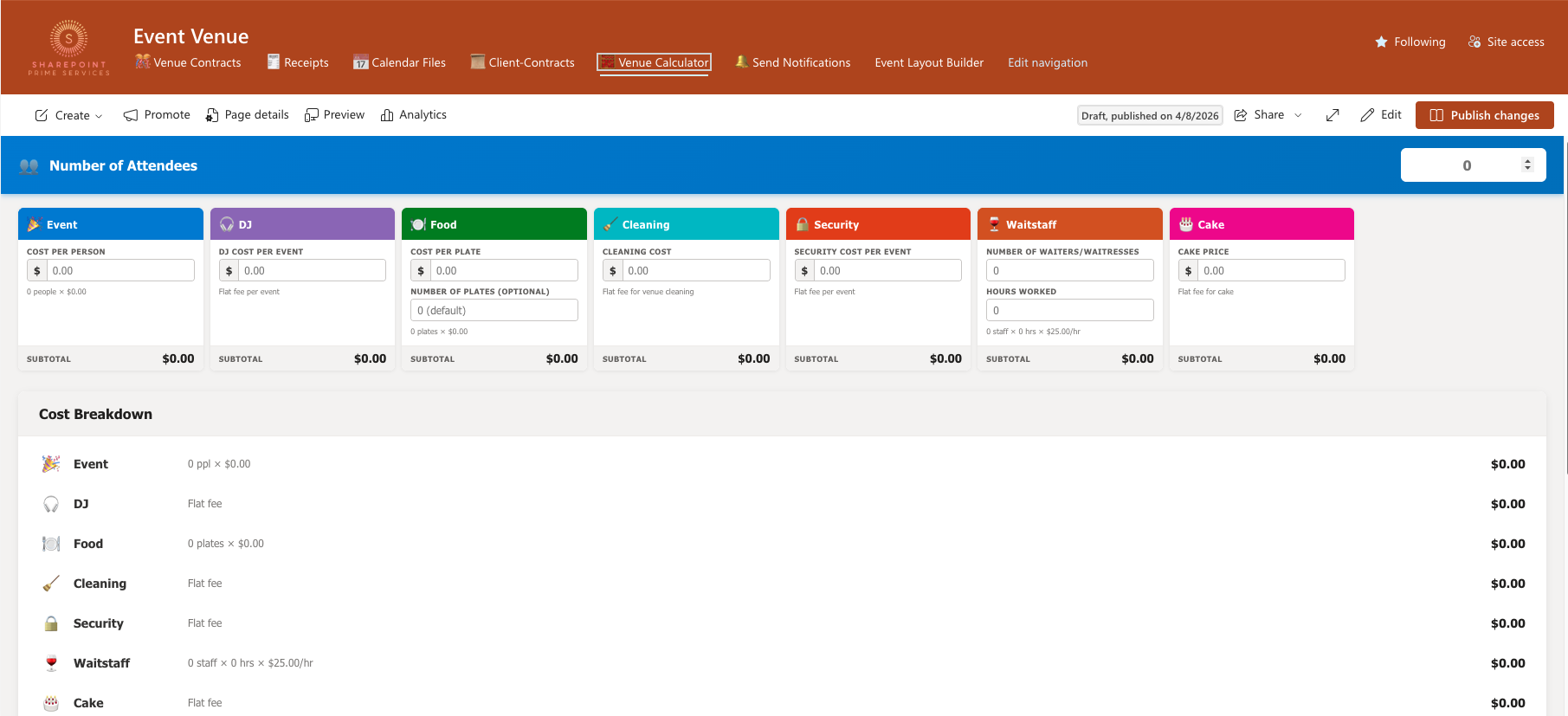
Quote any event in seconds. The calculator prices event, DJ, food, cleaning, security, waitstaff, and cake from your own rates, and produces a clean cost breakdown — so your team always quotes consistently and never undercharges.
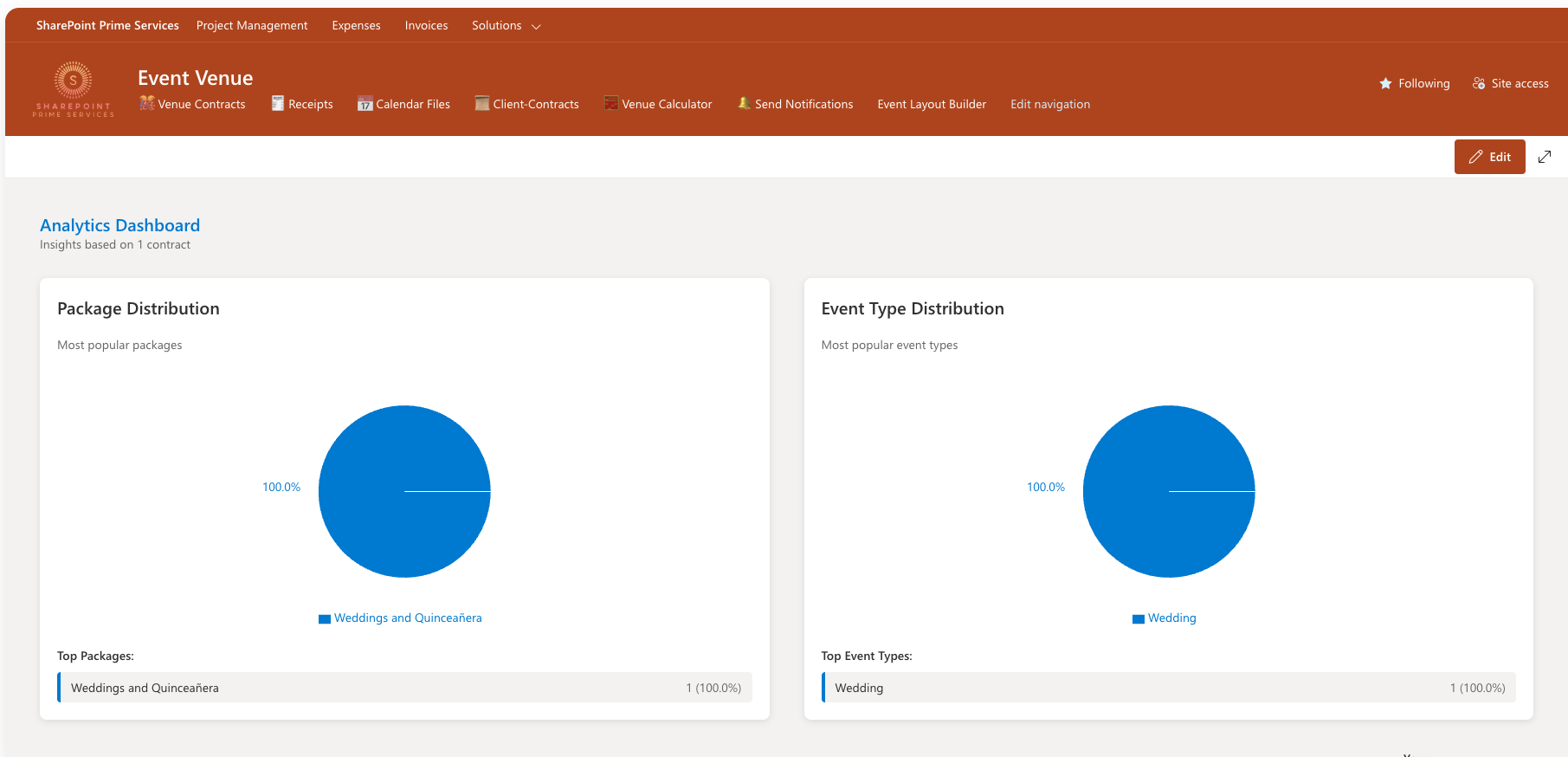
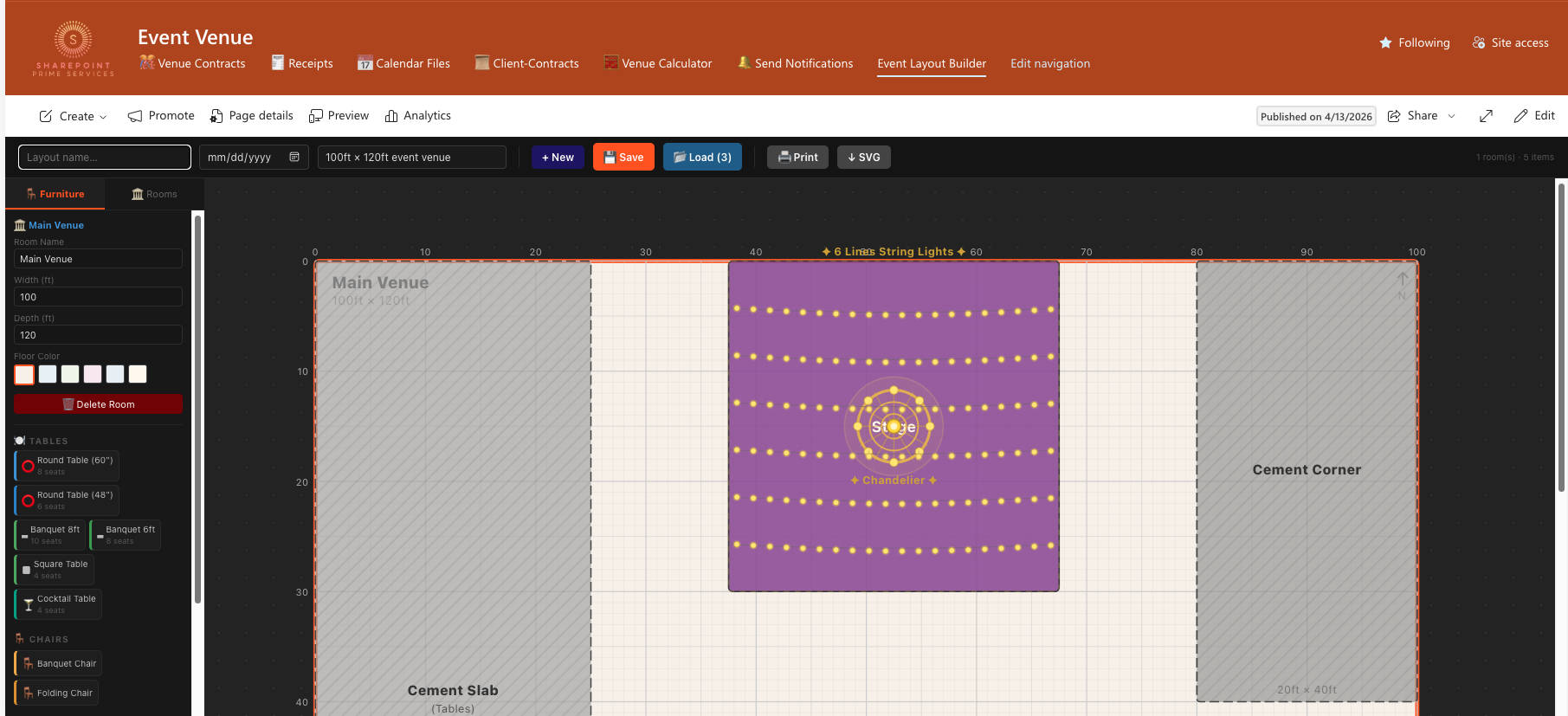
An analytics dashboard surfaces your most popular packages and event types, while the visual layout builder lets you design the event-day floor plan — place tables, zones, décor, and lighting on a to-scale canvas and share it with clients and staff.
Service package offer
A complete Microsoft 365 foundation for modern event venues — from setup and automation to ongoing support and growth. Free consultation available for all packages.
Full setup, configuration & automation — everything you need to launch.
Contact for pricing
Annual Microsoft 365 subscription billed to client
Book a free consultationFix, modify, or update your solution after Package 1 support expires.
Contact for pricing
Requires completion of Package 1 & expiry of 1-month support
Request maintenanceExpand your solution with new features, modules, and integrations.
Contact for pricing
Final price confirmed after consultation
Discuss an add-onLet's talk
Book a free consultation and we'll walk you through the Event Venue Solution, answer your questions, and tailor a package to your venue.